How to Clean Homelink for a Flawless Connection – The Ultimate Guide

Is your Homelink system becoming unreliable? That frustrating moment when you press the button and your garage door doesn’t respond can throw a wrench in your day. More often than not, the issue isn’t a complex electrical fault—it’s a simple case of a dirty or smudged signal path.
This definitive guide will walk you through the safe and effective process of cleaning your Homelink visor, mirror, or dash module to restore that perfect, one-touch convenience.
What is Homelink and Why Does It Need Cleaning?
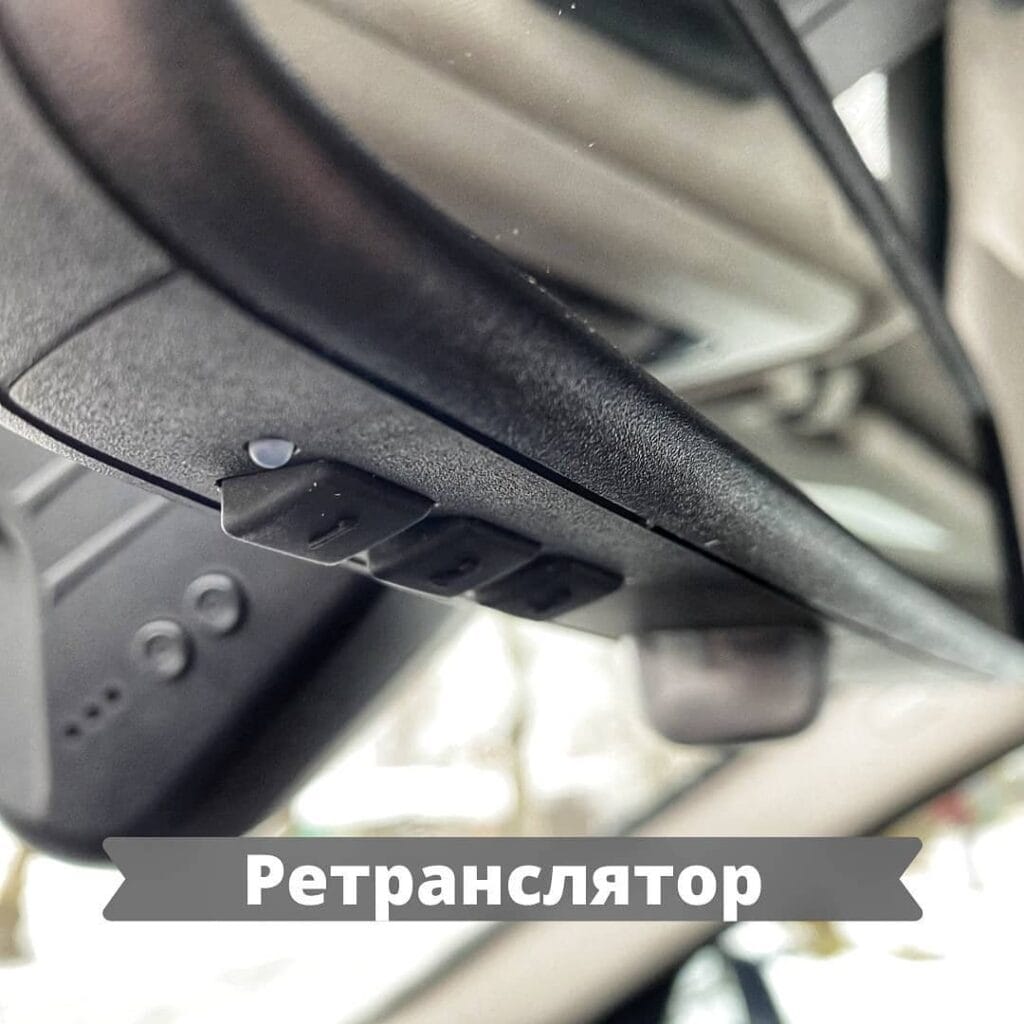
Homelink is a universal, integrated radio transmitter system built into many modern vehicles, typically located in the sun visor, rearview mirror, or dashboard. It replaces bulky remote controls by allowing you to program it to operate your garage door, gate, home lighting, and other radio-frequency (RF) security devices.
Over time, the area where the Homelink buttons are located accumulates dust, skin oils, sunscreen, and other residues. This grime can interfere with the button’s physical operation and, more critically, the transmission of the radio signal.
Expert Tip: “Many Homelink ‘failures’ are simply cases of signal degradation due to a dirty lens or button contacts. A simple clean is the first and most effective troubleshooting step before considering more complex reprogramming or professional repair.” – Auto Accessory Specialist
Pre-Cleaning Checklist: Safety and Preparation
Before you start, it’s crucial to gather the right materials and ensure your safety.
What You’ll Need:
- Microfiber Cloths (lint-free)
- Isopropyl Alcohol (70% or higher) or electronic-grade cleaner
- Cotton Swabs (Q-tips)
- Compressed Air (optional, for dusting)
- Plastic Spudger or Toothpick (for stubborn grime, used gently)
Safety First:
- Park your vehicle in a well-ventilated area.
- Turn the vehicle’s ignition to the “OFF” position. While Homelink is low-voltage, this prevents any electrical surprises.
- Disconnect your garage door opener from Homelink if you plan on a deep clean (this is reversible by reprogramming later).
Step-by-Step: How to Clean Your Homelink System
Follow these simple steps for a sparkling clean and fully functional Homelink.
Step 1: Dry Dusting the Surface
Begin by using a can of compressed air to blow away any loose dust, crumbs, or debris from around and between the buttons. Follow this by gently wiping the entire Homelink unit with a dry microfiber cloth.
Step 2: Applying the Cleaning Solution
Do not spray cleaner directly onto the Homelink unit. Instead, lightly dampen a corner of your microfiber cloth or a cotton swab with isopropyl alcohol. It should be damp, not dripping.
Step 3: The Detailed Clean
- Buttons and Faceplate: Gently wipe the surface of the buttons and the surrounding plastic. Use a circular motion to lift oils and grime.
- Creases and Edges: Use the damp cotton swab to carefully clean the tight crevices around each button. This is where most grime hides.
- For Stubborn Gunk: If residue is stuck under the edge of a button, you can gently use a plastic spudger or a toothpick (with the sharp tip broken off) to dislodge it. Apply minimal pressure to avoid damaging the button mechanism.
Step 4: The Final Wipe-Down
Once you’ve scrubbed away all the grime, use a fresh, dry part of your microfiber cloth to wipe the entire unit dry. Ensure no moisture remains in the crevices.
Homelink Still Not Working? Troubleshooting Next Steps
If a thorough cleaning doesn’t solve the problem, the issue may lie elsewhere. Here is a comparison of common problems and their solutions.
| Symptom | Possible Cause | Solution |
|---|---|---|
| Intermittent or weak operation | Dirty Homelink lens, weak car battery, or signal interference. | Clean the unit (as above). If no improvement, try reprogramming the device. |
| Works up close but not from the street | The most common issue. Homelink is weaker than your original remote. | Reprogram Homelink using the “Rolling Code” method, often involving a “learn button” on your garage door opener motor. |
| Doesn’t work at all after cleaning | Loss of programming or a drained vehicle battery. | Completely erase Homelink’s memory and reprogram it from scratch. |
| One button works, others don’t | Individual programming error or a faulty button. | Reprogram the non-working buttons. If it persists, the unit may need replacement. |
Homelink Cleaning vs. Reprogramming: Knowing the Difference
It’s vital to understand what cleaning can and cannot fix.
- Cleaning Addresses: Physical blockages, signal-attenuating grime, and sticky buttons. It’s a maintenance task.
- Reprogramming Addresses: A lost sync between Homelink and your receiver (garage door opener). This is necessary if the codes are no longer matched, often after a power outage or a new battery in your handheld remote.
Pro Tip: “After cleaning your Homelink, always test it. If it’s still unresponsive, a full erase and reprogram is your next logical step. The Homelink website has programming guides for nearly every brand of garage door opener.” – Home Security Installer
Conclusion: A Five-Minute Fix for Daily Convenience
A clean Homelink is a reliable Homelink. By incorporating this simple five-minute cleaning process into your regular vehicle maintenance routine—perhaps when you clean your interior—you can ensure that the convenience of a single-button garage door opening remains a seamless part of your day. Start with a clean slate before moving on to more complex troubleshooting, and you’ll likely save yourself time and frustration.