
7 Ways to Keep Your Home Office Organized Beyond the Desk
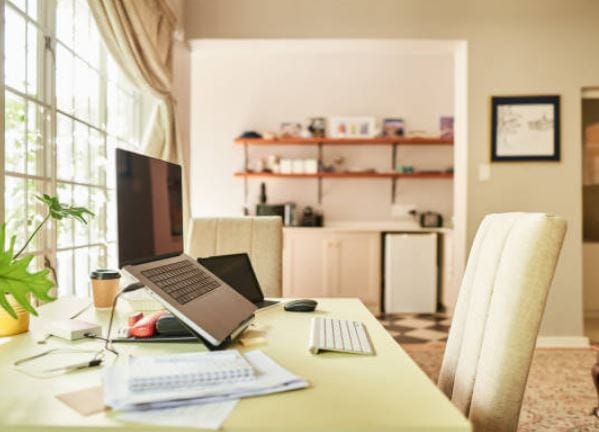
A tidy desk helps, but it is only one part of an organized home office. Paperwork can pile up on shelves, cables can gather under the desk, digital files can become difficult to find, and office supplies often end up in whatever drawer has space.
Keeping a home office organized means giving both physical and digital items a clear place. The goal is not to make the room look perfect. It is to make everyday work easier, reduce unnecessary searching, and create a space that is comfortable to use.
Organize the Whole Room, Not Just the Desktop
Start by looking beyond what is directly in front of you. Shelves, drawers, floor space, paperwork, storage boxes, and cables all affect how smoothly the room works.
A good organization system should make frequently used items easy to reach while keeping less important things out of the way.
1. Give Every Type of Item a Permanent Home
Random storage creates a simple problem: things may be put away, but nobody remembers where they went.
Instead, group office items by purpose. For example:
- Current paperwork can stay in one tray or folder.
- Archived documents can go into labeled storage.
- Spare cables and chargers can share one container.
- Pens, clips, notebooks, and similar supplies can have one drawer.
- Items used only occasionally can move to higher shelves.
Keep frequently used items close and place rarely used items farther away. When each category has a predictable location, putting things back becomes much easier.
2. Keep the Space Under Your Desk Clear
The area under a desk often becomes hidden storage for boxes, bags, files, computer equipment, and other items that do not have a proper place.
That can make the workspace feel cramped and leave less room for comfortable movement. If something must stay close to the desk, consider a drawer unit, side cabinet, or nearby shelf instead of placing it directly around your feet.
A clear floor area also makes cleaning easier and helps prevent cables or stored items from getting caught under a chair.
3. Control Cables Before They Become Clutter
Charging cables, monitor leads, headphones, adapters, and power cords can quickly make a small office look untidy.
Start by unplugging cables you no longer use. Then group the ones that travel in the same direction and label similar-looking chargers.
A simple cable system might include:
- One power area for permanent equipment
- One charging spot for portable devices
- One container for spare cables
- Small labels for adapters that are difficult to identify
Avoid wrapping cords too tightly or placing them where a chair repeatedly rolls over them. The aim is to keep cables easy to trace and safe to access when something needs to be moved or replaced.
Keep Your Digital Workspace Organized Too
A clean room can still contain a messy workspace if documents, screenshots, downloads, drafts, and attachments are scattered across a computer.
Digital organization works best when the system is simple enough to use every day without creating extra work.
4. Organize Files Around Real Tasks
A folder system should make files quicker to find, not add another layer of confusion. Instead of creating dozens of folders for every small document, group files around the main tasks, projects, or categories you regularly work with.
For example, keep current client work, invoices, research, and completed projects in clearly named folders. Use simple file names with dates or project names so you can recognize documents without opening each one.
A good rule is simple: if you regularly struggle to remember where a file belongs, the folder system is probably too complicated.
5. Create One Review Area for Work in Progress
Unfinished work becomes harder to manage when drafts are spread across email attachments, desktop folders, cloud storage, and messaging apps.
Choose one place for material that still needs attention. This might include drafts waiting for edits, documents that need approval, invoices that need checking, or research that still needs to be reviewed.
For people who work with written content, review tools can also fit into this stage. A free AI detector, for example, can be used as one extra check while reviewing a draft, alongside normal editing, source checking, grammar review, and a careful read for clarity. It should support the review process rather than replace human judgment.
Keeping unfinished tasks together makes it easier to see what still needs work and reduces the chance of important files being forgotten.
6. Separate Active Files From Archived Work
Not every document needs to stay in your everyday workspace.
Move completed projects and older records into an archive arranged by year, client, project, or another category that matches your work. Keep only current material in active folders.
This creates a clear difference between what still needs attention and what is finished.
Important files should also be backed up. A simple routine using secure cloud storage or an external drive can help protect documents if a computer fails, is lost, or is damaged.
Make Organization Part of Your Work Routine
Even a well-organized home office will become messy again if there is no simple system for maintaining it.
A few minutes of regular tidying is usually easier than dealing with a large pile of paperwork, scattered files, and misplaced supplies at the end of the month.
7. Finish the Day With a Five-Minute Reset
Before finishing work, return items to their assigned places and prepare the room for the next day.
A quick reset can include:
- Filing loose papers.
- Putting pens and supplies back.
- Organizing open digital files.
- Moving downloads into the correct folders.
- Removing cups, packaging, and rubbish.
- Checking the main tasks for tomorrow.
- Leaving the desk and surrounding area clear.
The goal is consistency, not perfection. A small daily reset helps stop clutter from building up and makes it easier to begin work the following morning.
Conclusion
Keeping a home office organized beyond the desk means creating clear systems for the whole workspace. Paperwork needs a place, cables need structure, digital files need logical folders, and unfinished work needs one clear review area.
Start with the part of the office that causes the most frustration, then build a simple habit around it. A well-organized home office should make work easier to start, easier to manage, and easier to finish at the end of the day.