The Ultimate Guide: How to Clean a TFT Screen Safely and Effectively
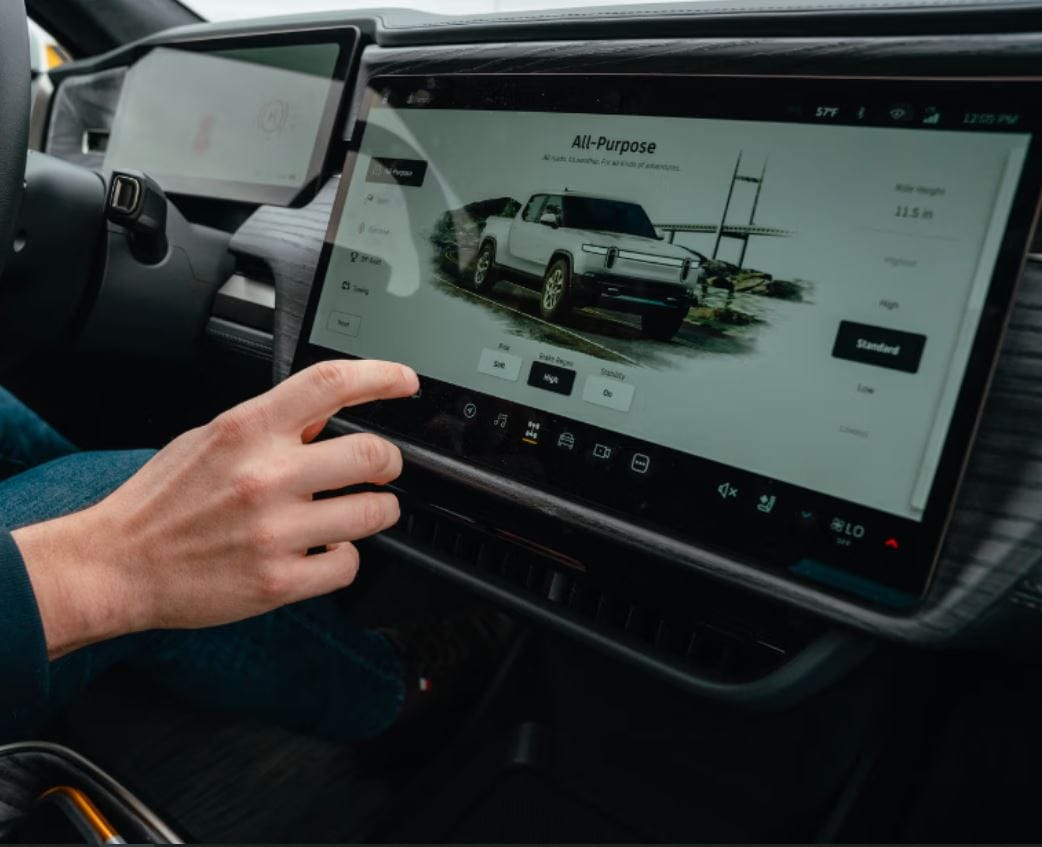
Thin Film Transistor (TFT) screens are everywhere—from your computer monitor and laptop to your television and gaming console. While these displays offer vibrant visuals, they are also surprisingly delicate. Incorrect cleaning methods can lead to permanent damage like scratched coatings, dead pixels, or distorted images. This comprehensive, SEO-optimized guide will walk you through the safe, effective techniques to clean your TFT screen without harming it, ensuring a crystal-clear display and extended device lifespan.
What NOT to Do: Common Cleaning Mistakes
Before learning the correct methods, understand what absolutely must be avoided.
- Never use harsh chemicals: Ammonia, bleach, acetone, or standard window cleaners will strip the anti-glare coating and damage the polarizing layer.
- Avoid paper towels or tissues: These contain wood fibers that are abrasive and will microscratch the screen surface.
- Don’t spray directly onto the screen: Liquid can seep into the edges and damage internal electronics.
- Skip the pressure: Pressing hard can damage the liquid crystals, leading to dead pixels.
- Avoid using compressed air carelessly: Holding the can tilted can spray freezing propellant onto the screen, causing permanent damage.
The Safe Cleaning Toolkit: What You Need
You don’t need expensive kits. Here’s a simple list of effective, safe supplies:
| Recommended Tool | Why It’s Effective | What to Avoid |
|---|---|---|
| Microfiber Cloth | Lint-free, soft fibers trap dust without scratching. | Old t-shirts, paper towels, napkins. |
| Distilled Water | Mineral-free, so it leaves no streaks or deposits. | Tap water (contains minerals). |
| Isopropyl Alcohol (70% or less) | Effective for disinfecting & removing oily marks; evaporates quickly. | Any solution over 70% concentration (too harsh). |
| White Vinegar (Diluted) | Great natural degreaser for stubborn smudges. | Undiluted vinegar. |
| Pre-Made Screen Wipes | Convenient, pre-moistened, and formulated for screens. | Wipes with alcohol >70% or harsh chemicals. |
Step-by-Step: How to Clean Your TFT Screen
Follow this structured, safe process for optimal results.
Step 1: Power Down and Cool
Turn the device completely off and unplug it if possible. A dark screen makes dirt visible and eliminates risk of electrical damage. Let it cool if it was recently on.
Step 2: Dry Dust Removal
Gently wipe the screen with a dry, clean microfiber cloth using light, sweeping motions in one direction. This removes loose dust and grit that could cause scratching during wet cleaning.
Step 3: Prepare Your Cleaning Solution
For light cleaning: Use distilled water only.
For fingerprints/oily marks: Mix a solution of 50% distilled water and 50% white vinegar OR use 70% isopropyl alcohol diluted with distilled water (1:1 ratio).
Always apply the solution to the cloth, NEVER directly to the screen.
Step 4: Damp Wiping
Lightly dampen a corner of your microfiber cloth with your chosen solution. Wipe the screen gently in a slow, consistent pattern—either side-to-side or top-to-bottom—using light pressure. Avoid circular motions.
Step 5: Dry and Buff
Immediately use the dry portion of your microfiber cloth to wipe the screen again, removing any moisture and preventing streaks. Let the screen air dry completely for a minute before turning the device back on.
TFT vs. Other Screens: Cleaning Comparison Table
Not all screens are the same. Here’s how TFT cleaning differs:
| Screen Type | Key Consideration | Safe Cleaner | Unsafe Cleaner | Pressure Level |
|---|---|---|---|---|
| TFT / LCD / LED (Modern) | Has a soft anti-glare coating. | Distilled water, diluted vinegar (50/50). | Ammonia, acetone, pure alcohol. | Very Light |
| Glass (Older LCDs, Some TVs) | More durable surface. | Isopropyl alcohol (70%), glass cleaner. | Abrasive powders. | Light |
| Touchscreen (Phones, Tablets) | Has an oleophobic coating. | Water, diluted isopropyl alcohol. | Vinegar, heavy chemicals. | Light |
| CRT (Old Monitors/TVs) | Glass, but with coatings. | Diluted isopropyl alcohol. | Ammonia-based cleaners. | Medium |
| Plasma | Very delicate anti-glare layer. | Distilled water only. | Any chemical solvents. | Very Light |
Pro Tips for Stubborn Stains and Maintenance
- For stuck-on debris: Use a dry microfiber cloth with slightly increased, but still gentle, pressure in a localized area.
- To disinfect: Use a wipe or cloth lightly moistened with 70% isopropyl alcohol. Ensure the device is powered off.
- Regular Maintenance: Give your screen a dry microfiber wipe-down once a week to prevent buildup. Deep clean only once a month or as needed.
- Prevention: Adjust your workspace to avoid glare, which reduces the temptation to touch the screen. Wash your hands regularly to minimize oily transfers.
Conclusion: Clarity Without Compromise
Cleaning your TFT screen doesn’t require special skills—just the right knowledge and gentle tools. By avoiding harsh chemicals, using a microfiber cloth, and applying minimal moisture correctly, you can maintain a spotless, streak-free display that performs perfectly for years. Remember: when in doubt, distilled water and a microfiber cloth are your safest bet.
Meta Description: Learn how to clean a TFT screen safely! Our step-by-step guide with comparison tables reveals the right tools, solutions, and techniques to avoid damage and achieve a streak-free shine.