
How to Clean a Shredder: A Step-by-Step Professional Guide to Extend Blade Life
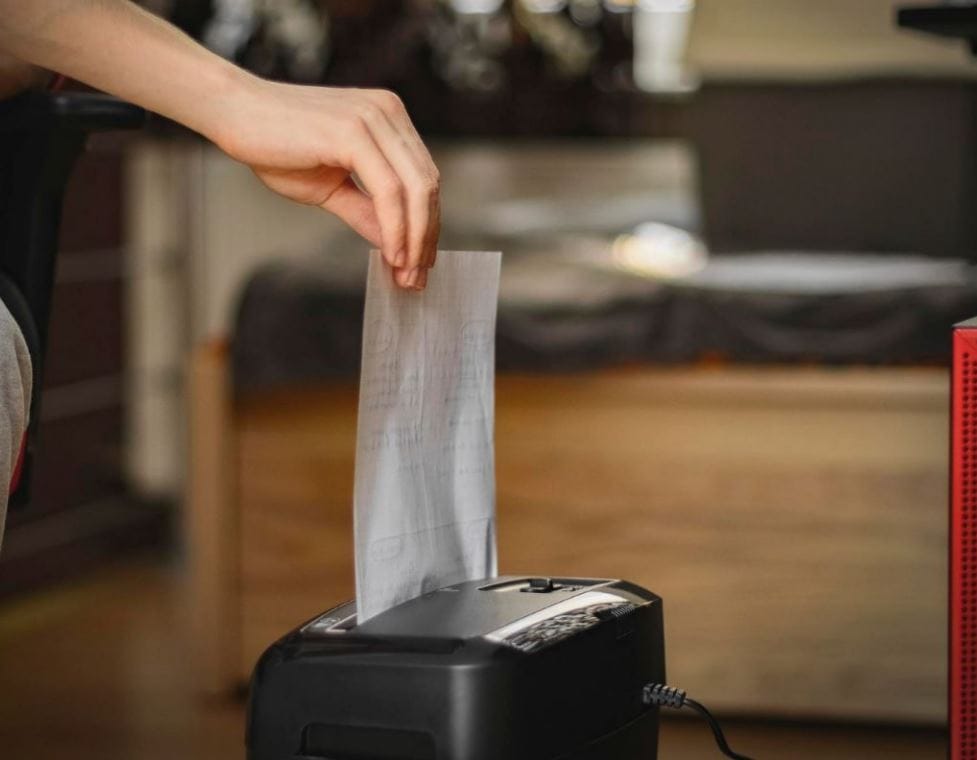
Paper shredders are essential for data security, but they are often the most neglected office tool. A jammed, dusty, or dull shredder leads to frustration, overheating, and costly replacements. Proper cleaning and lubrication can triple your shredder’s lifespan and maintain its rated sheet capacity.
This guide provides a manufacturer-approved methodology for cleaning strip-cut, cross-cut, and micro-cut shredders.
Why Cleaning Matters (Beyond Just Jams)
Every 10,000 sheets of paper, a shredder loses up to 30% of its cutting efficiency due to paper dust and oil evaporation. For cross-cut and micro-cut shredders, fine paper dust acts as an abrasive, grinding down the steel cutters. Regular cleaning removes this abrasive paste and prevents “paper log” formation.
Tools You Will Need
- Shredder lubricant sheets (preferred) or aerosol oil with a long nozzle
- Canned compressed air (for sensor cleaning)
- Tweezers or long-nose pliers (for jammed paper)
- Microfiber cloth (for the exterior and exit slot)
- Vacuum cleaner with brush attachment
⚠️ Critical Warning: Always unplug the shredder before inserting fingers or tools into the cutting head.
Step-by-Step Cleaning Protocol
Step 1: Clear the Jam (If Applicable)
Most jams occur when exceeding sheet capacity. Never spray water or standard lubricants.
- Set to Reverse (R) for 5–10 seconds.
- Unplug. Use tweezers to extract paper from the entry slot (top) and exit chute (bottom).
- If jammed at the cutters, use the provided manual reverse key (most heavy-duty models include one).
Step 2: Remove External Paper Dust
Paper dust clogs the start/stop sensors (optical or mechanical).
- Vacuum the paper entry slot and exit chute using the brush attachment.
- Blow compressed air across the sensor openings (small indentations near the blade slot). Avoid deep debris inside the blade housing.
Step 3: Lubricate the Blades (Mandatory for Cross-Cut & Micro-Cut)
Lubrication reduces friction, prevents static cling, and keeps paper from sticking. Perform this every time you empty the waste bin or after every 15–20 minutes of continuous use.
Method A (Sheets – Easiest & Cleanest):
- Apply shredder oil to a standard A4/Letter paper in a zigzag pattern (approx. 5ml / 1 teaspoon total).
- Insert the oiled sheet into the shredder.
- Run in Forward until the sheet fully passes.
Method B (Aerosol – For Heavy Buildup):
- Insert the nozzle into the paper entry slot.
- Spray for 2 seconds across the blade width.
- Run in Forward for 10 seconds, then Reverse for 5 seconds to distribute oil.
Step 4: “Run Dry” Cycle
After lubrication, run 2 clean sheets of plain paper through the shredder to absorb excess oil. This prevents oil stains on your documents.
Lubrication Frequency Comparison Table
| Shredder Type | Lubrication Frequency | Consequences of Neglect | Recommended Product Type |
|---|---|---|---|
| Strip-Cut (straight lines) | Every 10–12 bin empties | Slow jams, motor strain | Lubricant sheets or oil |
| Cross-Cut (confetti) | Every bin empty | Dust buildup, jammed sensors, dull blades | Lubricant sheets (preferred) |
| Micro-Cut (particles) | Every 2–3 bin empties | Rapid blade dulling, overheating, safety risk | Aerosol with nozzle |
| High-Security (DIN P-7) | Every bin empty | Immediate torque loss | Manufacturer-specific oil |
Troubleshooting Common Issues After Cleaning
| Symptom | Likely Cause | Corrective Action |
|---|---|---|
| Motor runs but doesn’t pull paper | Jammed paper dust in sensors | Vacuum entry slot; blow compressed air on sensors |
| Unusual grinding noise | Dry blades or metal debris | Immediate lubrication cycle (2x normal oil amount) |
| Shredder runs briefly, then stops | Overheated thermal protector | Unplug for 40–60 minutes (cannot be bypassed) |
| Paper shreds but leaves “tails” (connected pieces) | Dull cutters due to abrasive dust | Professional sharpening or replacement (cleaning will not fix) |
Proactive Maintenance Schedule (Professional Offices)
| Frequency | Action |
|---|---|
| Daily | Do not exceed rated sheet capacity (reduce by 2 sheets for thin paper). |
| Weekly | Vacuum exit chute and external vents. |
| Per Bin Empty | Lubricate (cross-cut & micro-cut) + run dry sheets. |
| Monthly | Inspect cutters with flashlight for paper dust buildup. |
| Quarterly | Deep clean: remove cutting head (if serviceable) and brush debris from gears. |
What NOT to Do (SEO: Common mistakes)
- Do not use WD-40 or cooking oil. These attract paper dust and become a sticky paste that destroys cutters. Use only shredder-specific oil (mineral-based, non-staining).
- Do not lubricate strip-cut shredders more than monthly – they have wider tolerances and over-oiling attracts dust.
- Do not run credit cards or CDs through a paper shredder – that requires a dedicated media shredder.
Final Professional Verdict
Cleaning a shredder is a 3-minute procedure that preserves a $200–$2,000 asset. For cross-cut and micro-cut models, lubrication is not optional—it is the single most effective maintenance action. Combine vacuuming with oiled sheets every time you empty the bin, and your shredder will operate at 95%+ efficiency for over 50,000 cuts.